Close
  • Home
    • Conference Refund Policy
  • News
  • Find My APCO ID
  • Southern CA APCO
  • Northern CA APCO
  • Past Conferences
    • 2024 Summary
      • Conference Summary
      • Schedule
      • Exhibitor Listing
      • Committee Members
    • 2025 Summary
      • Conference Summary
      • Schedule
      • Exhibitor Listing
      • Committee Members
  • Conference Summary 2026
    • 2026 Venue and Lodging
    • Vendor Portal
    • Committee Members
  • Home
    • Conference Refund Policy
  • News
  • Find My APCO ID
  • Southern CA APCO
  • Northern CA APCO
  • Past Conferences
    • 2024 Summary
      • Conference Summary
      • Schedule
      • Exhibitor Listing
      • Committee Members
    • 2025 Summary
      • Conference Summary
      • Schedule
      • Exhibitor Listing
      • Committee Members
  • Conference Summary 2026
    • 2026 Venue and Lodging
    • Vendor Portal
    • Committee Members

How to find your APCO membership ID

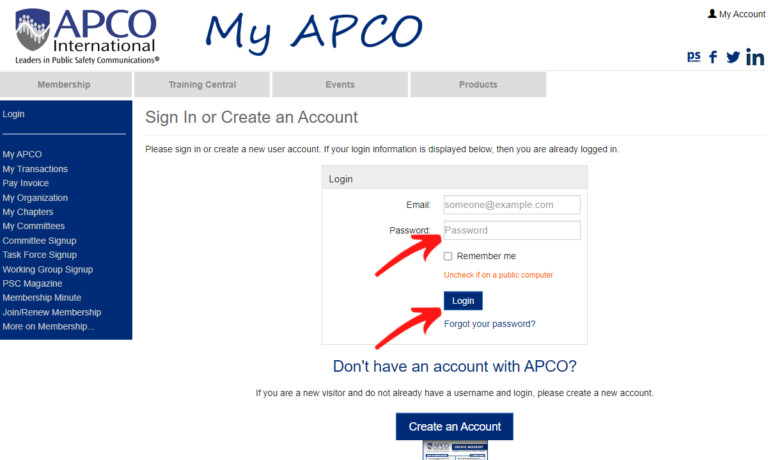
First start by navigating to APCOIntl.org and clicking on the “LOGIN” link at the top of the screen.

Enter your email address associated with your APCO account, then your password and click on the Login button. If you do not remember your password, click on the “Forgot your password” link and follow the instructions there.

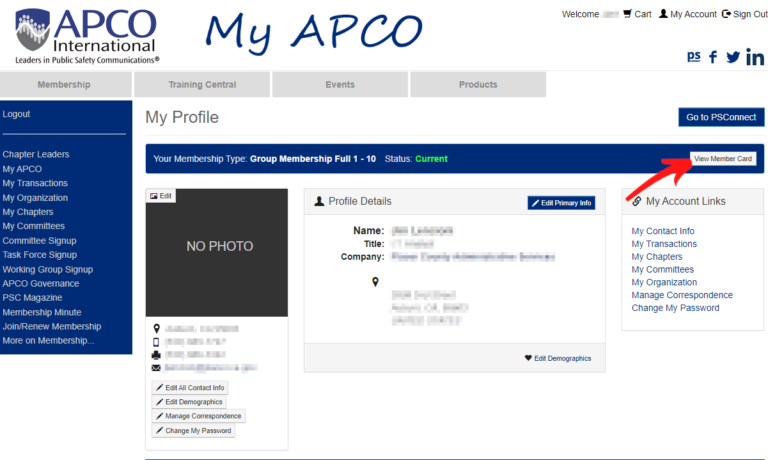
Once logged in, you should be brought to your “My APCO” page. If not, click on “My APCO” in the left navigation menu. Once on your My APCO page, click on the “View Membership Card” button. It will download a PDF file of your membership card showing your member ID.

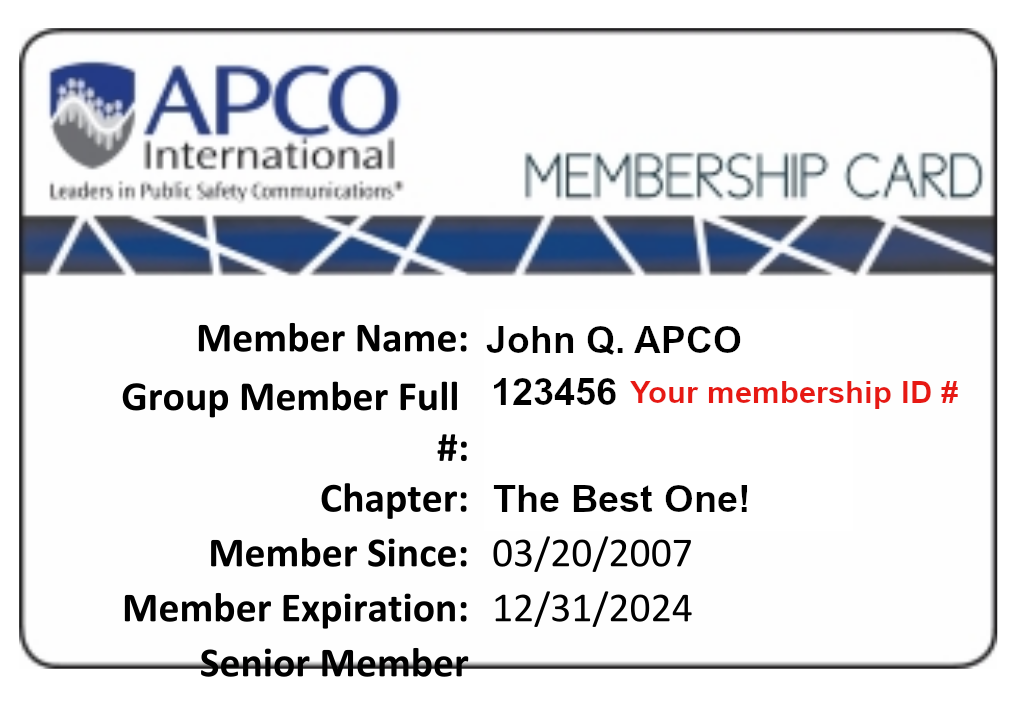
Your APCO Membership Card will look like this. It will list your name, membership ID number, your chapter membership, membership date and expiration date.


© Copyright California APCO and its affiliates, 2024